
Quick answer: You can check if your website is SEO optimized by reviewing whether Google can crawl and index your important pages, whether each page is properly optimized, whether the website has technical or performance problems, and whether your content matches what people are searching for. Start with Google Search Console for indexing and search visibility, use PageSpeed Insights for performance, and use a crawler such as Screaming Frog, Ahrefs, or Semrush for technical issues. Then review your content, internal links, backlinks, mobile experience, and overall user experience. No single SEO score can tell you whether an entire website is optimized.
I’ve audited more than 100 small business websites over the last three years, and one question comes up again and again: “How do I check if my website is actually SEO optimized?”
Most website owners start by entering their domain into an SEO checker and looking at the score. That can be useful, but an SEO score is only one small part of the picture.
A website can have a high score in an SEO tool and still have important pages that are not indexed, weak internal linking, poor search intent alignment, slow page templates, duplicate URLs, thin content, or very little visibility in Google Search.
The better approach is to check the website from several different angles.
First, make sure Google can access and index the pages you want to appear in search. Then review the SEO elements on individual pages, including titles, headings, URLs, content, images, and internal links.
After that, check technical SEO, website performance, mobile experience, site structure, backlinks, and actual search visibility in Google Search Console.
This gives you a much more useful answer than simply asking whether your website has an SEO score of 75, 85, or 95.
In this guide, you’ll find a detailed website SEO optimization checklist that covers the main areas you should review, what each check tells you, and what to do when you find a problem.
What Does “SEO Optimized” Actually Mean?
A website is SEO optimized when search engines can access and understand its important pages, the pages clearly address relevant search intent, and there are no major technical, content, or usability problems preventing those pages from being discovered and evaluated.
SEO optimization is not one setting that you turn on.
It is a combination of crawlability, indexability, on-page SEO, technical SEO, content quality, internal linking, website performance, user experience, and search visibility.
That distinction matters because different SEO tools measure different parts of a website.
For example, an SEO plugin can check whether a page has a title tag or whether a keyphrase appears in certain parts of the page. A speed-testing tool can identify performance problems. A backlink platform can show referring domains and links.
None of these tools, by itself, can determine whether your entire website is optimized for search.
There is also no universal Google “SEO score” that tells website owners whether their site is optimized. Scores shown by third-party SEO platforms are measurements created by those platforms based on their own checks.
So instead of asking, “What is my SEO score?”, the more useful question is:
“Can search engines access my important pages, understand what they are about, and see enough useful information and supporting signals to consider them for relevant searches?”
That is the foundation of a proper SEO check.
Website SEO Optimization Checklist
Use the following checks to review your website from its technical foundation through its content, authority, search visibility, and user experience.
1. Check Google Indexing and Crawlability
The first question is simple: Can Google actually access and index the pages you want to rank?
If an important page cannot be crawled or is intentionally excluded from Google’s index, improving its title, adding keywords, or rewriting the content will not solve the main problem.
Google Search Console should be your starting point.
Open the Page Indexing report and review how Google is handling the URLs on your website. Look for important pages that are excluded, blocked, redirected, or affected by other indexing issues.
You should also use the URL Inspection tool to check individual pages that are important to your business.
For example, inspect your homepage, main service pages, important category pages, product pages, and your highest-value articles.
Check whether:
- Google can access the page.
- The page is allowed to be indexed.
- The canonical URL is correct.
- The page is returning a normal successful response.
- The page is not accidentally blocked by robots.txt.
- The page does not have an unexpected
noindexdirective. - The page can be discovered through your website’s internal links.
Also check your XML sitemap.
Your sitemap should help Google discover the important URLs you want indexed. It should not be treated as a guarantee that every URL in it will be indexed.
Do not assume that every excluded URL in Search Console represents an SEO problem.
Google can legitimately exclude duplicate URLs, redirects, alternate versions, and pages that you do not need in search results.
The important question is whether your valuable, search-focused pages are being crawled and indexed as intended.
Google’s technical requirements are straightforward: Googlebot needs to be able to access the page, the page needs to work properly, and it needs to contain indexable content. Meeting those requirements does not guarantee indexing, but they are the basic foundation for appearing in Google Search.
2. Check Page Speed, Core Web Vitals, and Mobile Experience
Website performance is another important part of an SEO check because visitors need to be able to load and use your pages without unnecessary delays.
Use Google PageSpeed Insights to test representative pages instead of testing only the homepage.
For a typical business website, test pages such as:
- Homepage
- Main service page
- Important blog article
- Product or category page
- Contact or lead-generation page
Pay attention to Core Web Vitals and the underlying causes of performance problems rather than chasing a perfect score.
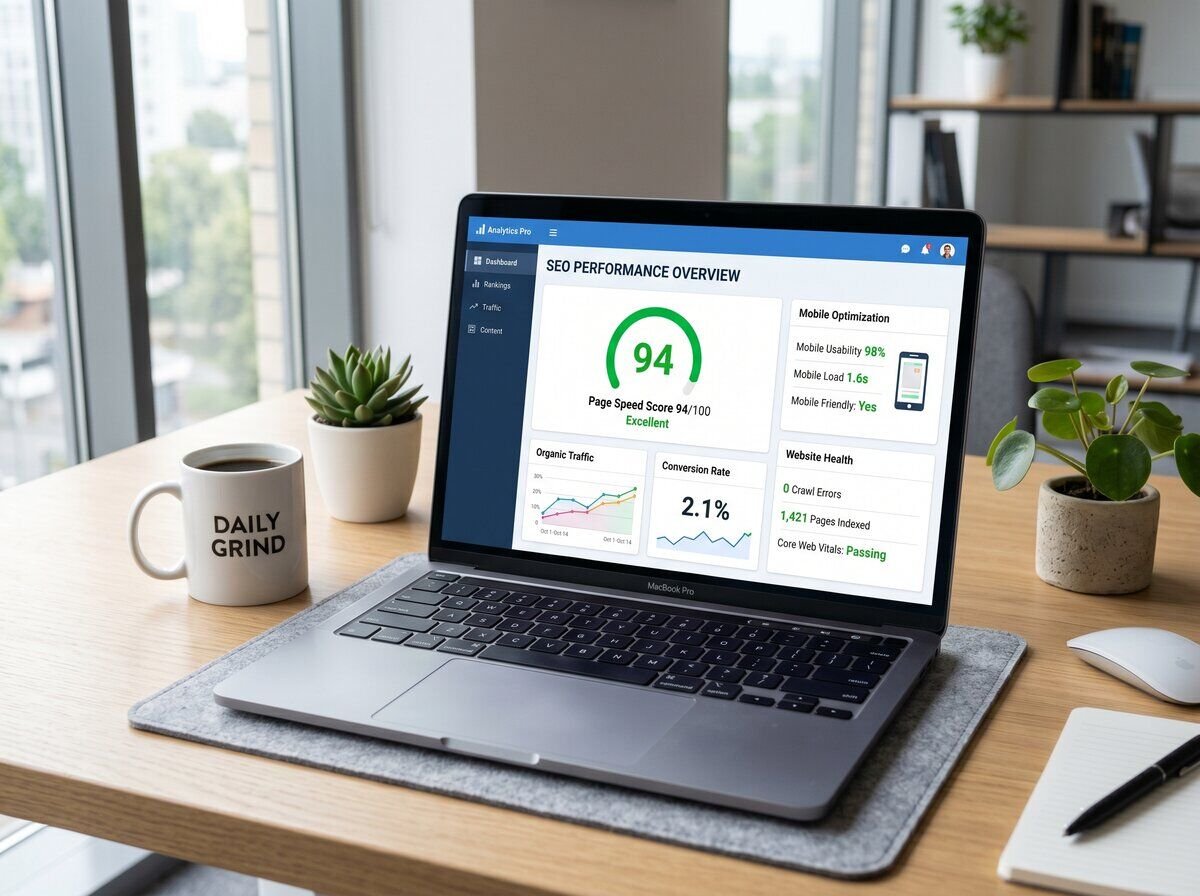
A PageSpeed score of 90 or 100 is not a universal SEO requirement.
The useful question is not simply, “What is my score?” It is, “What is slowing this page down, and does the problem create a poor experience for visitors?”
Common performance problems include:
- Oversized images
- Unnecessary JavaScript
- Too many third-party scripts
- Large CSS or JavaScript files
- Poor caching configuration
- Slow hosting
- Too many unnecessary WordPress plugins
- Inefficient page-builder elements
- Slow server response times
Also test your website on an actual mobile device.
A page can perform reasonably well in a lab test and still be frustrating to use. Check whether the text is readable, buttons are easy to tap, menus work correctly, images fit the screen, forms work, and important content is easy to find.
Google’s page-experience guidance also recommends looking beyond one metric and considering the overall experience, including Core Web Vitals, secure delivery, mobile usability, intrusive elements, and how easily visitors can distinguish the main content from other elements on the page.
3. Run a Full Technical SEO Audit
A technical SEO audit looks beyond individual page elements and checks how the website works as a complete system.
You can use tools such as Screaming Frog, Ahrefs Site Audit, or Semrush Site Audit to crawl the website and identify potential technical problems.
Depending on the website, a technical audit may uncover:
- Broken internal links
- Broken external links
- Redirect chains
- Redirect loops
- Missing title tags
- Duplicate title tags
- Missing meta descriptions
- Duplicate or near-duplicate pages
- Canonical problems
- HTTP and HTTPS inconsistencies
- Indexability problems
- Unnecessary URLs
- XML sitemap problems
- Structured-data issues
- Pages with little useful content
- Orphaned pages
Do not try to fix every warning simply because an SEO tool displays it.
SEO crawlers are designed to identify potential issues. Some warnings are recommendations rather than actual search problems.
Prioritize problems that affect crawling, indexing, important content, internal architecture, performance, security, or user experience.
| Issue | Why It Matters | What to Check |
|---|---|---|
| Broken internal links | Visitors and search-engine crawlers may be unable to reach useful pages. | Replace, update, or remove links that lead to broken URLs. |
| Incorrect canonicals | Search engines may receive conflicting signals about the preferred version of a page. | Make sure the canonical points to the intended primary URL. |
| Blocked important pages | Search engines may not be able to crawl or index pages you want to appear in search. | Review robots.txt, noindex directives, and access restrictions. |
| Redirect chains | Multiple redirects create unnecessary steps between the original and final URL. | Where appropriate, redirect directly to the final destination. |
| Duplicate URLs | Multiple versions of similar content can make site structure less clear. | Review canonicals, redirects, URL parameters, and internal architecture. |
If an audit produces hundreds of warnings, do not treat them all as equally important.
Start with the problems affecting your most important pages and the website’s ability to be crawled, indexed, understood, and used.
4. Check Keyword Rankings and Search Visibility
Technical SEO tells you whether your website is accessible and understandable. Search visibility tells you what is actually happening in Google Search.
Google Search Console is the most useful starting point because it provides search data for your own website.
Review:
- Search queries generating impressions
- Clicks from Google Search
- Average position
- Click-through rate
- Pages receiving search impressions
- Queries where pages receive impressions but few clicks
- Pages gaining or losing search visibility
Do not focus only on one exact keyword.
A page can be relevant for dozens or hundreds of related searches. Search Console can reveal queries you did not specifically target when the page was created.
For example, a page targeting “WordPress SEO services” may also receive impressions for searches related to WordPress SEO agencies, WordPress SEO experts, technical SEO, website optimization, or SEO consulting.
Those related queries can help you understand whether the page is covering the subject properly and whether its content matches the search intent.
It is also important to separate SEO health from SEO performance.
A technically clean website does not automatically rank well. Search visibility also depends on relevance, content quality, competition, authority, internal architecture, and other search systems.
If you want to measure whether your SEO work is producing measurable results over time, read our guide on how to know if SEO is working.
5. Review Your Backlinks and Off-Page SEO
On-page optimization is only one part of SEO. You should also understand how other websites link to your website.
Use tools such as Ahrefs or Semrush to review your backlink profile.
Look at:
- Which websites link to your site
- Which pages receive the most backlinks
- Whether linking websites are relevant to your industry
- Whether the links appear naturally earned
- Whether your backlink profile contains obvious manipulative patterns
- Which content assets naturally attract links
Do not use Domain Rating, Domain Authority, or another third-party metric as a universal SEO pass/fail threshold.
These are third-party measurements, not Google ranking scores.
A relevant and genuine mention from a useful website can be more meaningful than a large number of unrelated links.
If you want to check a site’s Domain Rating, you can use our free Domain Rating checker. Just remember that the number is a third-party metric and should be interpreted in context.
You should also avoid building an SEO strategy around large quantities of low-quality links.
The goal is to build a backlink profile that makes sense for your business and grows through useful content, relationships, partnerships, digital PR, relevant industry resources, and genuine mentions.
6. Check On-Page SEO
Once you know that your important pages are accessible, review the actual content and page elements.
For each important page, check:
- Title tag: Does it clearly describe the page and match the search intent?
- Meta description: Does it accurately summarize the page and give searchers a useful reason to click?
- H1: Does the main heading clearly explain what the page is about?
- Subheadings: Do H2s and H3s organize the topic logically?
- URL: Is it readable, descriptive, and relevant?
- Content: Does the page answer the questions and needs behind the target search?
- Internal links: Does the page naturally connect to relevant pages elsewhere on the website?
- Images: Are images useful, properly sized, and given meaningful alternative text when appropriate?
Do not treat rigid character counts as universal SEO rules for titles and meta descriptions.
The priority is clarity.
A title should tell both search engines and searchers what the page is about. A good URL should be understandable without requiring visitors to decode unnecessary numbers or parameters.
For example, a URL such as /wordpress-seo-services/ is easier to understand than a URL containing unrelated IDs or long tracking parameters.
Also avoid repeating the exact same keyword in every heading.
Good on-page SEO makes the subject of the page clear while keeping the language natural.
7. Review Content Quality and Search Intent
A technically clean website can still struggle if its content does not satisfy the reason someone searched in the first place.
For every important page, ask:
- What is the main question or problem behind this search?
- Does this page answer that question directly?
- Does it cover the important subtopics a visitor would reasonably expect?
- Does it provide information that is actually useful?
- Is the information accurate and current?
- Does the page demonstrate relevant experience or expertise where appropriate?
- Does the content provide something useful rather than simply repeating competing pages?
There is no universal word count that makes a page SEO optimized.
A narrow question may only need a few hundred useful words. A competitive service page or comprehensive guide may need considerably more detail.
The right length is the amount of content required to satisfy the search intent without adding filler.
Google’s current guidance also emphasizes helpful, reliable, people-first content and specifically warns against writing to an arbitrary word count simply because someone claims Google prefers a particular length.
Also review older content.
Information can become outdated, links can break, services can change, and search intent can shift. Updating an existing page can sometimes be more useful than publishing another page covering the same subject.
If you are unsure whether your SEO strategy needs an update, see our guide on when to update your SEO plan.
8. Verify Important Technical SEO Settings
A crawler can identify many technical problems, but some important settings are worth checking directly.
For a WordPress website, review:
- HTTPS: Make sure the primary website uses the secure version consistently.
- XML sitemap: Confirm that the sitemap exists and contains the URLs you actually want search engines to discover.
- Robots.txt: Make sure important content is not unintentionally blocked.
- Canonical URLs: Check that important pages identify the correct preferred URL.
- Indexing directives: Look for unexpected noindex settings.
- Redirects: Make sure old URLs redirect to relevant final destinations.
- Structured data: Check that applicable schema markup accurately represents the visible content on the page.
- 404 pages: Make sure deleted or moved URLs are handled intentionally.
Structured data should be treated as a way of giving search engines clearer information about a page, not as a guarantee of higher rankings or a specific search appearance.
Google states that structured data can make a page eligible for supported rich-result features, but correct markup does not guarantee that a rich result will appear. The structured data also needs to represent the visible content accurately.
The same principle applies to technical SEO in general. Fixing a technical issue can remove an obstacle, but it does not automatically make a page rank for competitive searches.
9. Test the Actual User Experience
SEO does not stop when someone clicks your search result.
If visitors reach your website and cannot quickly understand what you offer, find the information they need, or complete the next step, the website is not doing its job well.
Open your website on a phone and go through it like a first-time visitor.
Check:
- Does the navigation work properly?
- Can visitors understand the main offer quickly?
- Are headings and paragraphs easy to scan?
- Are buttons large enough to tap comfortably?
- Do contact forms work?
- Are phone numbers and email links functional?
- Are important CTAs visible without being intrusive?
- Do popups interfere with the main content?
- Do images and layouts fit smaller screens?
- Are there broken sections or visual glitches?
This is especially important for service businesses.
Suppose someone finds your website through a search for “WordPress website maintenance.” If the page loads correctly but the visitor cannot quickly understand what is included, what it costs, or how to get started, the SEO traffic is not being turned into a useful business outcome.
Search optimization should therefore support the entire journey from search result to useful page to next action.
10. Monitor Google Search Console Regularly
SEO is not a one-time checklist that you complete and never revisit.
Websites change. New pages are published, old pages are removed, plugins are updated, URLs are redirected, competitors publish new content, and search behavior changes.
Google Search Console gives you an ongoing view of how Google is discovering and showing your website.
Check it regularly for:
- Indexing changes
- New crawl or indexing issues
- Search queries
- Clicks and impressions
- Changes in average position
- Pages gaining or losing search visibility
- Core Web Vitals information
- Manual actions or security-related issues when reported
You do not need to check every report every day.
The important thing is to establish a regular review process so that major problems do not remain unnoticed for months.
Search Console data can also reveal opportunities.
A page receiving impressions for relevant queries but few clicks may need a clearer title or better search-result positioning. A page receiving impressions for many related queries may reveal topics worth expanding or supporting with internal links.
Google describes Search Console as a tool for helping website owners and SEO professionals understand how their websites perform on Google Search, making it an important source of first-party search data for this type of review.
Which SEO Checker Tools Should You Use?
You do not need every SEO tool available.
Different tools answer different questions, so choose the tool based on the problem you are trying to investigate.
| Tool | Best For | What to Check |
|---|---|---|
| Google Search Console | Google search visibility and indexing | Queries, clicks, impressions, indexing, URL Inspection, and Core Web Vitals |
| Google PageSpeed Insights | Website performance | Core Web Vitals, loading issues, and performance opportunities |
| Screaming Frog | Technical crawling | Broken links, redirects, metadata, canonicals, status codes, and page structure |
| Ahrefs | Backlinks and SEO research | Referring domains, backlinks, keywords, competitors, and site audits |
| Semrush | SEO research and auditing | Technical issues, keywords, competitors, backlinks, and site health |
| Yoast SEO or Rank Math | WordPress on-page assistance | Titles, meta descriptions, sitemap settings, schema settings, and page-level recommendations |
If you are checking a small website yourself, Google Search Console + PageSpeed Insights + a basic crawler can provide a strong starting point.
Paid tools become more useful when you need deeper keyword research, competitor analysis, backlink analysis, large-site crawling, or ongoing SEO monitoring.
Can an SEO Score Tell You If Your Website Is Optimized?
No. An SEO score can help identify potential issues, but it cannot measure every factor that affects search performance.
Most SEO platforms calculate their own score from a specific set of technical and on-page checks.
For example, a tool might lower a score because a page is missing a meta description, has a long title, contains a broken link, or has another technical issue.
Those checks can be useful.
But a high score does not guarantee rankings, organic traffic, leads, or visibility for competitive searches.
Think of an SEO score as a diagnostic indicator, not a final grade from Google.
A better SEO review combines technical checks with real search data from Google Search Console and a manual review of content, search intent, internal architecture, backlinks, and user experience.
How Long Does SEO Optimization Take?
There is no single timeline because different SEO problems require different types of work.
Some fixes can be completed immediately.
For example, correcting a broken internal link, fixing an incorrect canonical, or removing an accidental noindex directive can be relatively straightforward.
Other improvements take longer to show their full effect.
After technical changes, Google may need to recrawl and process affected pages. Content improvements can take longer to gain visibility, especially for competitive topics. Building relevant authority and earning useful backlinks can take considerably longer.
It is therefore better to think about SEO optimization in stages:
- Technical fixes: Many can be completed within hours or days, depending on the issue and website.
- Indexing changes: Timing varies depending on crawling and Google’s processing of the updated page.
- Content improvements: Results can take weeks or longer.
- Competitive keywords: Often require sustained content, authority, internal linking, and technical work.
- Ongoing SEO: Requires continued monitoring and improvement rather than one optimization session.
Google does not provide a guaranteed timetable for when a particular URL will be crawled, indexed, or served in search results.
If you want to understand whether the SEO work you are doing is producing measurable results, read our guide on how to know if SEO is working.
Common SEO Mistakes to Avoid
Many websites do not have one major SEO problem.
Instead, they have several smaller problems that add up.
These are some of the most common mistakes to look for during an SEO review.
1. Focusing on keywords instead of search intent
Adding a keyword repeatedly does not make a page useful.
The page needs to answer the underlying question or solve the problem behind the search.
2. Obsessing over SEO scores
A score from an SEO tool is not the same thing as Google’s assessment of your website.
Use the score to find potential issues, then investigate those issues directly.
3. Ignoring indexing
Before spending hours improving a page, make sure Google can actually access and index it.
4. Treating PageSpeed as a competition
A perfect speed score is not the objective.
The objective is a fast, stable, responsive experience without unnecessary technical problems.
5. Stuffing keywords into titles and headings
Use clear language.
One page does not need the exact same phrase in every heading.
6. Copying competitors
Competitor research can show you what topics searchers expect, but copying their wording or structure does not create a stronger page.
Look for useful information they have missed and explain the subject from your own experience and perspective.
7. Building low-quality backlinks
Do not judge link building by the number of links acquired.
Relevance, quality, context, and how naturally the links were earned matter more than a raw link count.
8. Publishing pages without internal links
A new article should not become an isolated URL.
Connect related pages so users and search engines can discover the broader topic structure of your website.
9. Never checking Search Console
Search Console can reveal indexing problems and search opportunities that you cannot see from the website’s frontend.
10. Treating SEO as a one-time task
SEO needs maintenance because websites, competitors, search results, and user behavior continue to change.
Can I Check My Website SEO Myself?
Yes.
A small business owner can perform a basic SEO check without hiring an agency.
Start with Google Search Console and check whether your important pages are indexed. Then test representative pages for performance, review their titles and headings, check internal links, compare the content against search intent, and look for obvious technical problems.
You can also use free versions of several SEO tools to identify common issues.
The difficult part is usually not finding an SEO warning.
It is understanding which warnings actually matter, why they matter, and what should be fixed first.
For example, an SEO crawler may report hundreds of URLs with similar metadata. That does not automatically mean all 300 pages need to be rewritten immediately.
You need to determine which URLs are important, whether they serve different search intents, whether the duplication creates an actual problem, and whether consolidation would make the website clearer.
The same principle applies to backlinks, content length, PageSpeed scores, and other SEO metrics.
If your website is small and the problems are straightforward, you can handle many basic SEO tasks yourself.
If the website has a large number of pages, complicated technical issues, declining organic visibility, or a competitive search market, a professional audit can help identify the highest-impact problems.
If you want a deeper look at your website’s technical SEO, content, keyword opportunities, and search visibility, you can get a free SEO audit from Scripto Agency.
Frequently Asked Questions
Check your website’s indexing, crawlability, on-page SEO, technical SEO, performance, mobile experience, content quality, internal links, backlinks, and Google Search visibility. Google Search Console is the best starting point because it shows indexing information and actual search data for your website.
A website is more SEO friendly when search engines can crawl and understand its important pages, the content matches relevant search intent, pages have clear titles and headings, the site has a logical internal structure, and there are no major technical or performance problems. Search Console can then show whether those pages are actually appearing in Google Search.
For Google-specific data, Google Search Console is the most important free tool because it shows indexing information, search queries, clicks, impressions, and other data from your own website. PageSpeed Insights is useful for performance, while free versions of third-party SEO crawlers can help identify additional technical and on-page issues.
Yes. You can perform a basic SEO check using free tools such as Google Search Console and PageSpeed Insights, combined with a manual review of your titles, headings, URLs, content, internal links, mobile experience, and indexing settings.
Yes. Website owners can handle many basic SEO tasks themselves, including title optimization, internal linking, content improvements, image optimization, Search Console monitoring, and basic technical checks. More complex technical problems, large websites, and competitive SEO campaigns may require specialist knowledge.
Check Google Search Console regularly for indexing and search visibility changes, and run deeper technical checks periodically based on how often your website changes. A website that publishes content frequently or has many technical changes may need more frequent reviews than a small, stable website.
Simple technical fixes can sometimes be completed in hours or days, while content improvements and competitive SEO work can take weeks or months to produce meaningful changes. The timeline depends on the problem, the website, the level of competition, and how quickly search engines recrawl and process changes.
No. Third-party SEO scores are based on the checks and formulas used by that particular tool. A high score can indicate that certain technical or on-page issues have been addressed, but it does not guarantee rankings, traffic, or visibility for competitive searches.
ChatGPT can help analyze SEO information, review content, suggest improvements, organize an audit, and assist with keyword and on-page work. It cannot replace direct access to your website’s Google Search Console data, live crawling tools, backlink databases, or human review of the site. See our guide on whether ChatGPT can do SEO for a more detailed explanation.
Final Thoughts: SEO Optimization Is an Ongoing Process
Checking whether a website is SEO optimized is not about getting a perfect score from one tool.
A proper check starts with the fundamentals:
Can Google crawl the website? Can it index the important pages? Does each page clearly satisfy a relevant search intent? Is the website technically sound, fast enough, mobile-friendly, logically structured, and easy to use?
Then look at actual search data.
Google Search Console can show whether your pages are receiving impressions and clicks, which queries are generating visibility, and where indexing or performance problems may exist.
Use SEO tools to identify issues, but investigate those issues before deciding what to fix.
A warning is not automatically a priority, and a high score is not automatically proof that the website is optimized.
For AI-driven search features, the same fundamentals remain important. Google’s current guidance for generative AI features emphasizes crawlable content, useful and unique information, good page experience, and established SEO practices rather than a separate technical “AI SEO” system.
The strongest SEO process is continuous: check, fix, measure, improve, and repeat.
Want to Know What Your Website Needs?
Get a free SEO audit from Scripto Agency. We’ll review technical SEO, on-page optimization, content opportunities, search visibility, and areas that may be limiting organic growth.
Get a Free SEO Audit